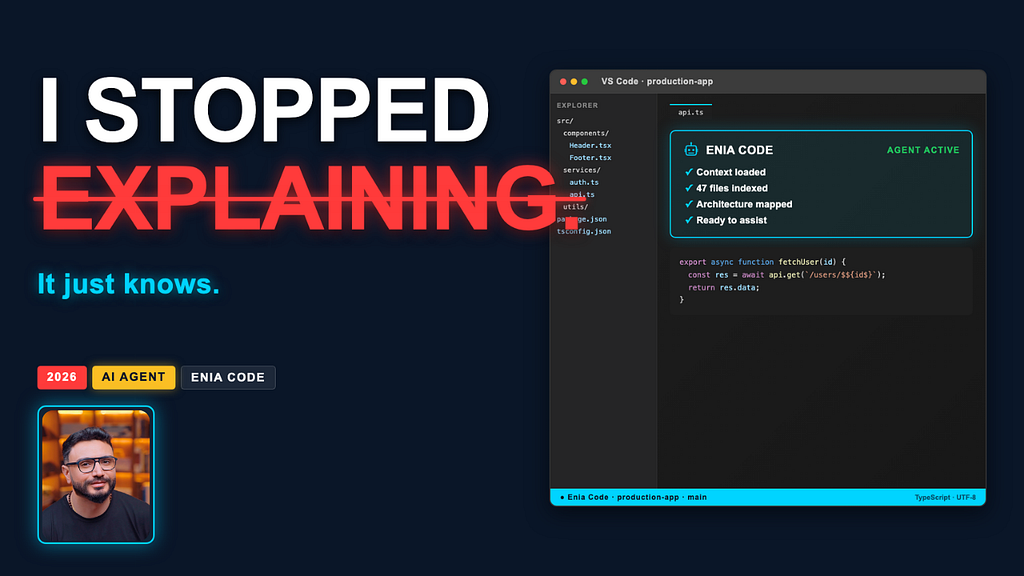
I Stopped Explaining My Codebase to AI. It Just Knows Now.
And what happened when I tested it on two years of real production code.
Good. I have enough context. Now writing the Medium article using Chase Hughes’ influence framework — open loops, social proof, micro-commitments, and pattern interrupts to keep the reader moving forward.
I Stopped Explaining My Codebase to AI. It Just Knows Now.
And what happened when I tested it on two years of real production code?
Every developer I know has the same ritual.
Open a new AI session. Take a breath. Start typing the explanation you have typed a hundred times before.
“This is a Next.js app. We use Prisma for the database. We never delete records — we use a deletedAt field instead. Our API routes always check auth before touching the database. Our components follow a server/client split where…”
You know this feeling. You have spent more time explaining your project to AI tools than actually building it.
I have been doing this for two years. Across Cursor, Cline, Claude, Copilot. Every single session. Starting from zero.
Then I found something that made me stop.
The Problem Nobody Talks About
Here is what the AI coding tool industry does not want to admit.
Every tool — no matter how advanced — treats you like a stranger. Every. Single. Session.
You open a new chat and the tool has no idea who you are, what you are building, or what decisions you made six months ago that still matter today. It does not know that you chose Prisma over Drizzle because of your team’s experience. It does not know that you have a rule about never using it any in TypeScript. It does not know that the payments module is a legacy mess that nobody should touch without a senior review.
You know all of this. Your codebase knows all of this. Your AI tool knows none of it.
So you explain. Again. And again. And again.
And while you are explaining, three things are happening that you probably have not calculated:
You are wasting time. The average developer spends 5–10 minutes re-establishing context at the start of every AI session. If you open four sessions a day, that is 40 minutes. Every day. Just explaining yourself.
You are getting worse answers. An AI that does not know your codebase gives generic answers. Code that does not match your patterns. Naming that does not fit your conventions. Solutions that work in isolation but break your architecture.
You are doing the AI’s job. The whole promise of AI coding tools is that they make you faster. But if you are the context engine — if you are the one who has to remember and explain everything — then you are not faster. You are just a very expensive prompt writer.
There had to be a better way.
What I Decided to Test
I work on a real production app. Not a tutorial project. Not a sandbox. A live Next.js application I use every day to manage my YouTube channel’s sponsorship pipeline — deals, brands, contracts, content schedules, invoices, and payments.
Two years of accumulated decisions. Two years of patterns. Two years of conventions that live in the code, not in a README.
When I heard about Enia Code — a VS Code extension that claims to learn your codebase and remember it across sessions — my first reaction was skepticism.
Every tool claims this. Context-aware. Proactive. Learns your patterns. The marketing copy is always the same.
So I decided to test it the way I test everything. On real code. With real consequences. And I want to show you exactly what happened.
Test 1: The Cold Start
The first question I asked Enia was simple.
Analyze this codebase and tell me what patterns and conventions I am using.
No setup. No context files. No explanation. Just figure it out.
What came back stopped me.
It found the never-delete pattern. It identified that every record in the database has a deletedAt field, and every query filters on it. That is a deliberate architectural decision my team made early on. It is not documented anywhere. It is not in a comment. It lives in the pattern of the code itself — and Enia read it.
It found the auth-first convention. Every API route in this application calls await auth() before touching the database. Not some routes. Every route. Enia identified that as a systemic security pattern — not a coincidence, a convention.
It mapped the server-client split. Server pages fetch data. Client components — they all end in Client.tsx — handle the interactive layer. The handoff pattern. Enia understood it without me saying a word.
Then it went further.
It identified the multi-provider AI system buried in the lib folder — a factory pattern supporting OpenAI, Anthropic, and local models through Ollama. That is a non-obvious architectural decision. It is not in the folder name. It is in the implementation. Enia found it.
And then it mapped the entire product. Six distinct modules — sponsorship CRM, content publishing, video generation with Remotion, Gmail integration for outreach, Stripe billing, and analytics. Eight product areas from a single cold-start analysis.
I have been building this app for two years.
That analysis took Enia about 90 seconds.
Test 2: The Proactive Signal
This is the test I was most skeptical about.
Every AI tool claims to be proactive. None of them actually are. They are reactive — they wait for you to ask, then respond.
I decided to deliberately write a new API route without the auth check that every other route in the codebase has. Then I would stop typing and do nothing. No prompt. No request. Just: stop.
I wrote the route. I typed the closing bracket. I put my hands off the keyboard.
Two seconds later, an orange warning triangle appeared directly in my code editor. Inline. No notification. No alert. Right there on the line.
A signal card opened. It had read the code, understood the pattern, and flagged the missing auth guard as a risk — without me asking.
One click to apply the fix. Enia created a task, ran it, and fixed the issue. The entire loop — detection to resolution — without me leaving the file.
I sat there for a moment.
With Cursor, I would have caught this in code review. Maybe. With Cline, I would have needed to prompt a review. Here it just appeared.
That is not a reactive tool. That is a different category of software.
Test 3: The Memory Test
This is the one that changed how I think about AI coding tools.
I switched to a new branch. I opened the Enia panel. I did not type a single word.
Within seconds, Enia surfaced a suggestion based on what it already knows about this project. No prompt. No re-explanation. It remembered the codebase, the context, the direction — from a session six days ago.
Six days. Different branch. Zero re-explaining.
Two years of opening new AI sessions and typing the same explanation. Gone.
This is not a chat tool with a longer context window. This is a tool that has genuinely learned a specific codebase and continues to learn. Every session makes it more accurate. Every interaction adds to what it knows. The value does not decay — it compounds.
The Honest Verdict
I have worked with enterprise codebases for over 20 years. I know what it feels like when a tool actually changes how you work versus when it just adds noise.
Enia Code changes how you work.
Not because of the features. Not because of the marketing. Because of one specific thing: it treats your codebase as something worth learning — not something you have to explain over and over again.
The cold-start analysis is not surface-level. It infers intent, not just structure. It understands why patterns exist, not just that they exist. That is the difference between a senior developer reading code and a linter counting lines.
The proactive signal works on real mature code. Not a tutorial project. Not a clean-room demo. A live app with history, debt, and complexity. That is where most tools fail and where this one proved itself.
Persistent memory is a feature I did not know I needed until I had it.
Who is this for?
If you are working on a real codebase — with history, patterns, and accumulated decisions — this is worth your time. The more complexity your project has, the more Enia has to work with. The value scales with the age and depth of what you have built.
If you are on a fresh side project or a simple demo repo, the value is lower. The tool needs codebase history to show what it can do.
If you are tired of re-explaining your project every time you open a new AI session — try it on your real codebase.
Try Enia Code free: https://www.eniacode.com/?utm_source=youtube&utm_medium=kol&utm_campaign=launch&utm_content=atefataya
Full Tutorial:
This article is based on a sponsored video for Enia Code. All demo results are from live testing on a real production codebase. #ad